5. Creating hyperlinks
The letters HT in the abbreviation HTML stand for Hypertext. The word hypertext refers to clickable words (links) within a piece of text. These hyperlinks are what link the World Wide Web together from different locations. Let us add a hyperlink to our website as well.
5.1 The anchor
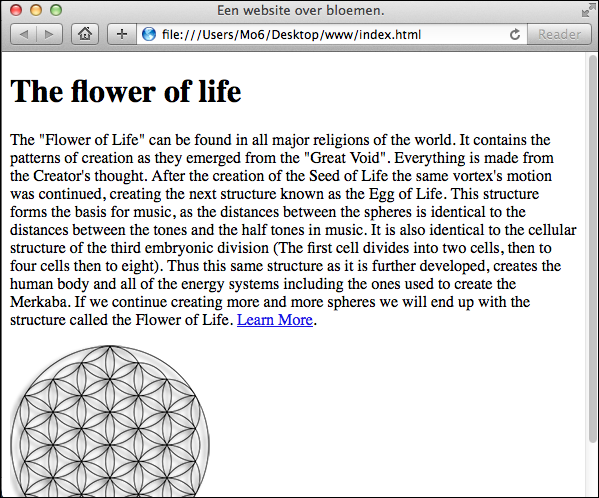
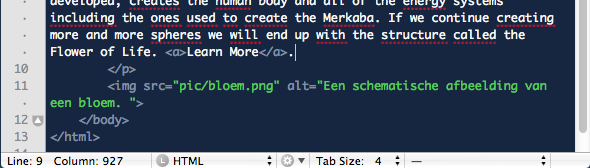
Adding the code for a hyperlink is relatively simple once you know the code. But before we add the code, it is sensible to first decide which part will be clickable (the visible part of the link). I suggest we include an extra bit of text within the paragraph container we placed earlier. After the last sentence of the paragraph, which ends with the words we will end up with the structure called the Flower of Life. you can follow the text Learn More add. These last two words are meant to become a hyperlink. To do this, place an a-container around the two words, see the image below.
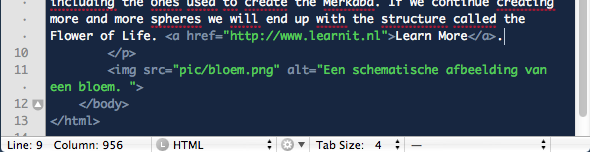
Finally, this hyperlink (the a-tag stands for anchor) also needs to actually point to something. You can do this by adding an extra so-called attribute within the opening tag of the anchor. Just after the a but still within the greater than sign > add a space and type this code href="https://www.learnit.nl". You can read the added attribute href read at the opening tag of the anchor as "the anchor refers to". Also bear in mind that the full web address must be entered, including the text http://
The final code looks as follows.
5.2 An additional target attribute
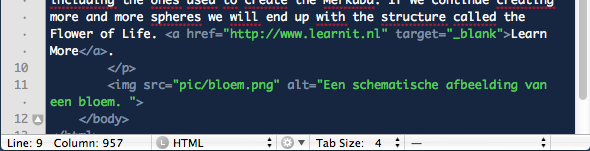
When you view the website in the browser and click the link, you will leave the current website and end up on the Learnit website. Sometimes it is not desirable to lose visitors in this way. So it is sometimes preferable for the new website to open in a new tab or window. To achieve this, you can add another attribute to the opening tag of the anchor. If you add a space after the final quotation mark of the href attribute, followed by this code target="_blank" rel="noopener" then, when you reload the web page in your browser, the link will open in a new tab. The code then looks as follows.
Test the result in your browser: