


Introduction
In most departments AI is already being used, whether that has been agreed or not. Someone has an angry customer email rewritten into something friendlier. Someone else pastes the minutes of the management meeting into a chat window to get a summary out of it. It often goes well and it saves time. Until it goes wrong one day: a figure that looked convincing but came from nowhere, a customer name that ended up with a provider in the United States, or a letter that nobody checked any more because it already looked so finished.
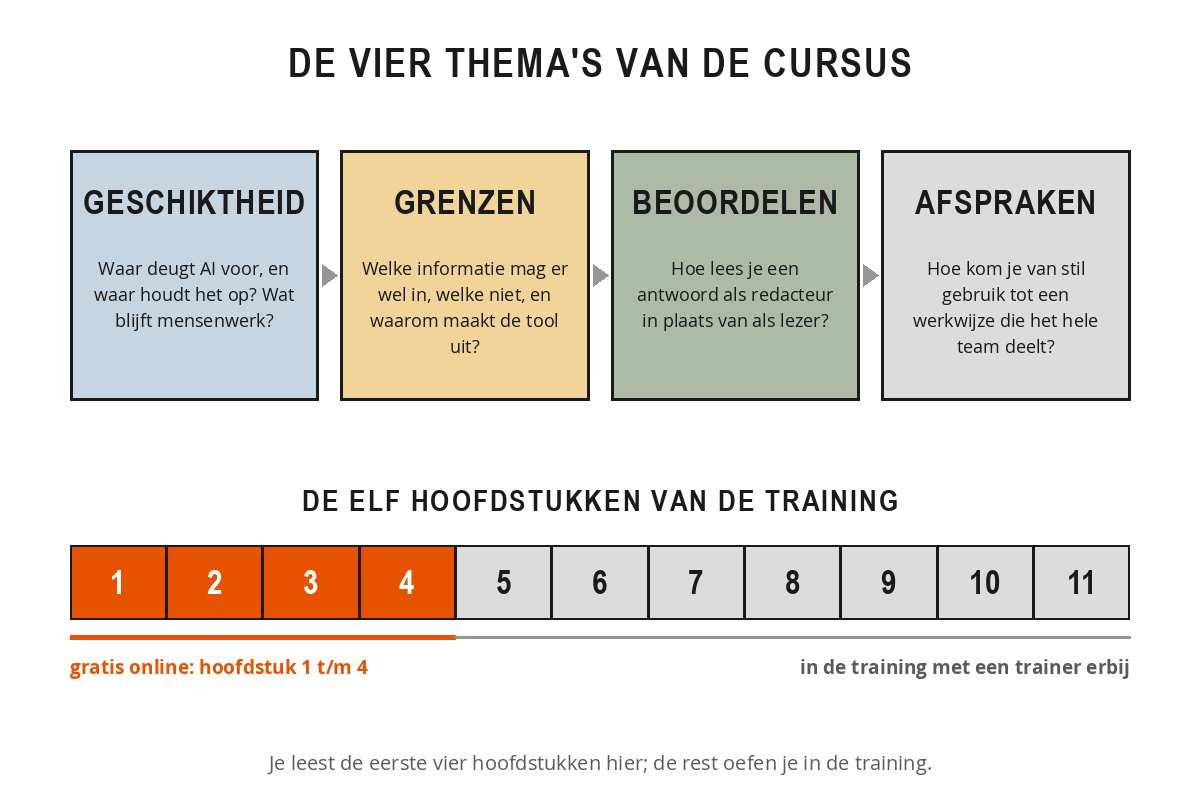
This free course contains the first four chapters: the orange part of the bar above. At the bottom of chapter 4 you will find the full course.
What this course does and does not cover
This is not a manual for a particular program. You will not read here where the buttons are and which version can do what, because that will be different in six months' time. What this is about is the work around it, and that changes much more slowly: which work you hand over to an assistant and which work you keep yourself, which information may and may not go in, how you assess what you get back, and how you make agreements about it with your colleagues.
That order is no accident. Anyone who starts straight away with the tool mainly learns to produce something quickly. Anyone who first thinks about suitability and limits learns something far more useful: when it is better to leave the chat closed. In practice that saves more trouble than any handy prompt ever will.
What you will learn
You first gain an insight into what a language model is genuinely good at and where it systematically stumbles, so that you no longer have to guess whether a task is suitable. Then you learn to sort information into four types, with a decision for each type about what may and may not go into a prompt. In the third chapter you learn to read output as an editor: recognising invented facts and bias, and the five checks you carry out before you pass anything on. The fourth chapter is about your team: how you get from quiet, scattered use to agreements that everyone knows and that will still apply a year from now.
The common thread: the assistant supplies the form, you supply the content, and you remain responsible for whatever goes out the door under your name.
How the course is structured
The course follows four themes that build on one another. You start with suitability: what is AI good for and where does it stop? Then come the limits: which information may go in, which may not, and why does it matter which tool you use? Then come the assessing: how do you read an answer critically without turning it into a full day's work? And you close with agreements: how do you get from quiet use to a way of working that the whole team shares. Each chapter contains theory, a diagram, examples from practice and an exercise that you apply to your own work.
Practical tips for use
- Keep a notepad or a blank document to hand. The exercises only work if you actually complete them.
- Work with your own material wherever you can: a real email, a real report, a real job from last week. That way the material sinks in faster.
- Don't read it all in one go. One chapter a week, with time to try it out, delivers more than reading through it in an afternoon.
- Talk about it with a colleague. You don't make the agreements from chapter 4 on your own, and the conversation usually starts with two people comparing their experiences.
- Note down what went wrong. An invented figure or an answer that missed the mark is more valuable teaching material than ten cases where it went well.
Each chapter ends with a short knowledge check of three questions: answer them correctly to mark the chapter as completed. Your progress is saved automatically in your browser.
Enjoy the reading, and above all: enjoy the work you no longer have to do yourself.