


7. Adding navigation
When you create a website, it will probably not consist of just one page. In a later chapter we will therefore add a number of pages. To then get to one of those other pages, we need a navigation menu. And that is what we are going to create in the next exercise.
7.1 Creating a list
HTML offers the option of creating a bulleted list, just as in Microsoft Word. Copy the code below if you would like to create a navigation menu too.
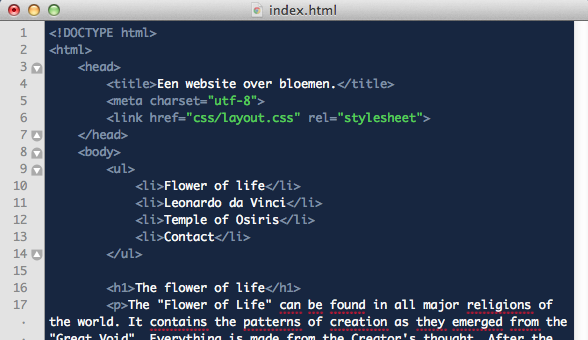
As you can see in the code above, a list has been created consisting of four items. This list begins with the ul opening tag and ends with the ul closing tag. This ul stands for "unordered list". Inside this ul container are li opening and li closing tags. Li in this case stands for "list item". When you view the result in the browser, you will see a bulleted list at the top of the page. We are going to turn this list into the navigation menu.
7.2 Adding anchors to the navigation menu
To make the menu list actually work, anchors have to be added. Inside the li container we place an a container so that all the items in the list become clickable. See the image below for the code.
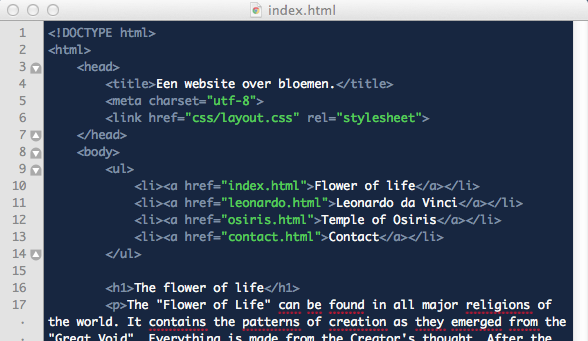
Because we do not have any other pages yet, the menu will not work yet; we will resolve that in chapter 10.